The scheduling companion built for the career pilot. Bid Helper turns your bid package into a conflict-free line — plus reserve management, FDP tracking, FAR 117 compliance, digital logbook, endorsements, reports, and schedule import — on iOS and the web.
Sign up on iOS to get full access — reserve countdown, schedule import, FDP tracking, digital logbook, and more. Your account is your key to everything.
Import your monthly bid package PDF — multiple airline formats, every base and fleet, deadheads included. Set what matters to you, and CrewAlert scores every pairing, filters out the trips that touch your days off, and assembles a conflict-free line inside your credit window.
Choose fast Greedy or thorough Optimized, commit the line straight to your schedule, then Copy Bid List to export it with ranked alternates — ready to paste into your bidding system.
Bid on your terms
Protected days offWeekendsTrip lengthsCredit targetCommutable report & releaseLayover cities
⏱
Reserve Management
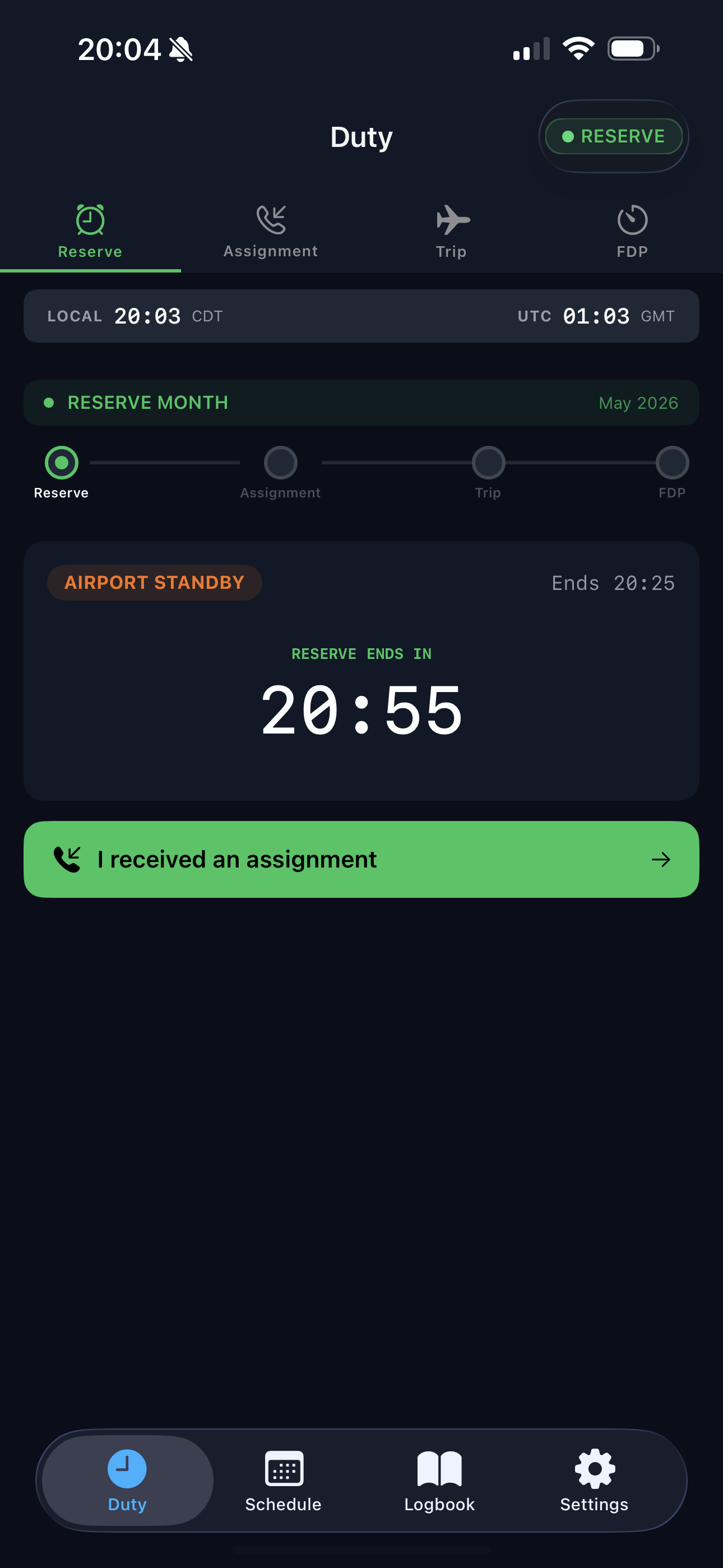
Live LC, SC, and AS countdowns with color-coded urgency. Know when you're legal to be clear and when add pay thresholds kick in — before scheduling calls.
✈️
Trip Builder
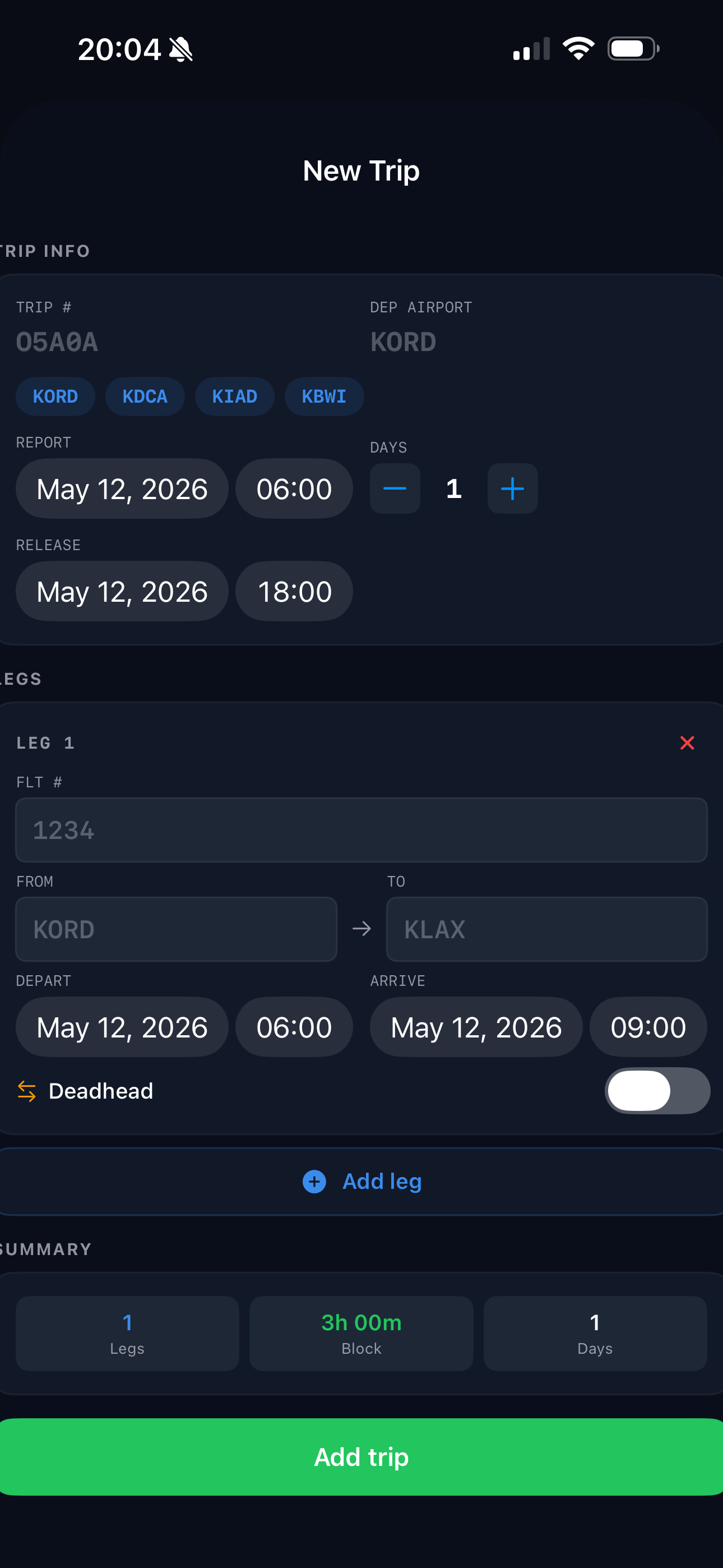
Build trips manually or import directly from your scheduling system. Legs, layovers, report times, and aircraft — all organized and accessible.
📋
FDP & FAR 117
Real-time duty period tracking with Table B and C support. Includes augmented crew rules, extensions, and rest requirement calculations.
📅
Schedule Import
Import up to 8 screenshots at once using on-device OCR — or paste, upload a file, or let AI smart parse handle it. Review, edit, then confirm into your schedule.
💰
Add Pay Tracking
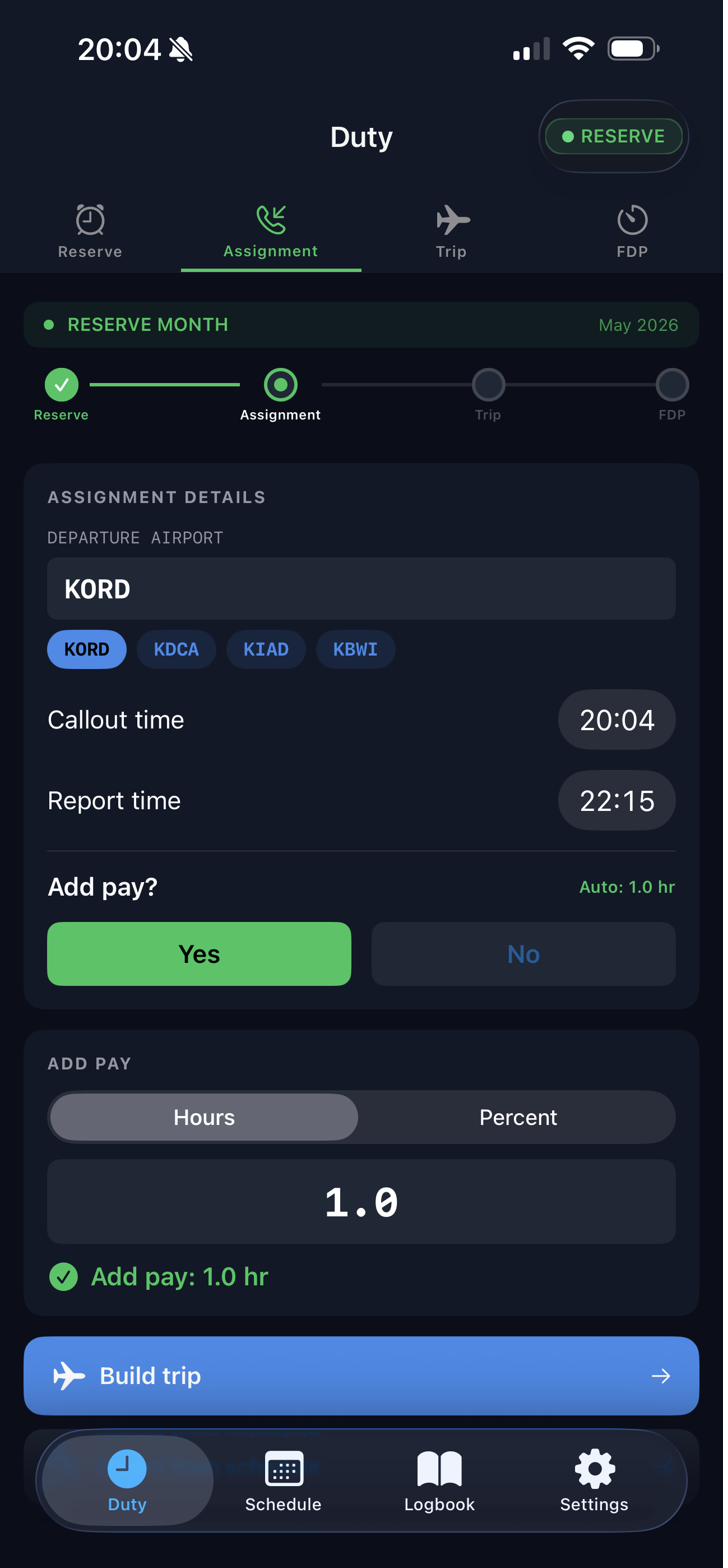
Automatic threshold detection during reserve windows. See your +1 and +2 add pay windows at a glance so you never miss a negotiation.
📱
Live Activity Widget
Silent lock screen reference for when scheduling calls. Shows your current reserve status, earliest clear time, and add pay window without notifications.
📖
Digital Logbook
FAA-grade logbook with OUT/IN/OFF/ON times, PIC/SIC, night, IMC, approaches, tail number, and remarks. All-time totals always visible. Log manually or import from CSV.
📄
Pilot Reports
Over 30 report types — career snapshot, 8710-1, IACRA, airline hiring, ATPL, FAR 117 legality, EASA FTL, and more. Preview in-app or export as PDF.
✅
Endorsements
70+ FAA AC 61-65K templates covering student through ATP, instrument, CFI, Robinson SFAR 73, NVG, and more. Track expiration and flight-review currency automatically.
⚖️
FAR 61.57 Currency
Automatic day, night, and instrument currency tracking. Always know your landing counts and approach totals against 90-day and 6-month windows.
☁️
Cloud Sync
Your schedule, logbook, trips, and add pay history sync automatically across all your devices. Sign in on iOS or the web — everything is where you left it.
🏥
Medical Certificate
Enter your last physical date and class. CrewAlert calculates your FAA expiry automatically and sends a 30-day push reminder before it lapses.
Inside the App
Built for how pilots actually work.
A dark cockpit interface designed for quick reference — whether you're on reserve or building out your next trip.
Reserve
Live countdown by reserve type
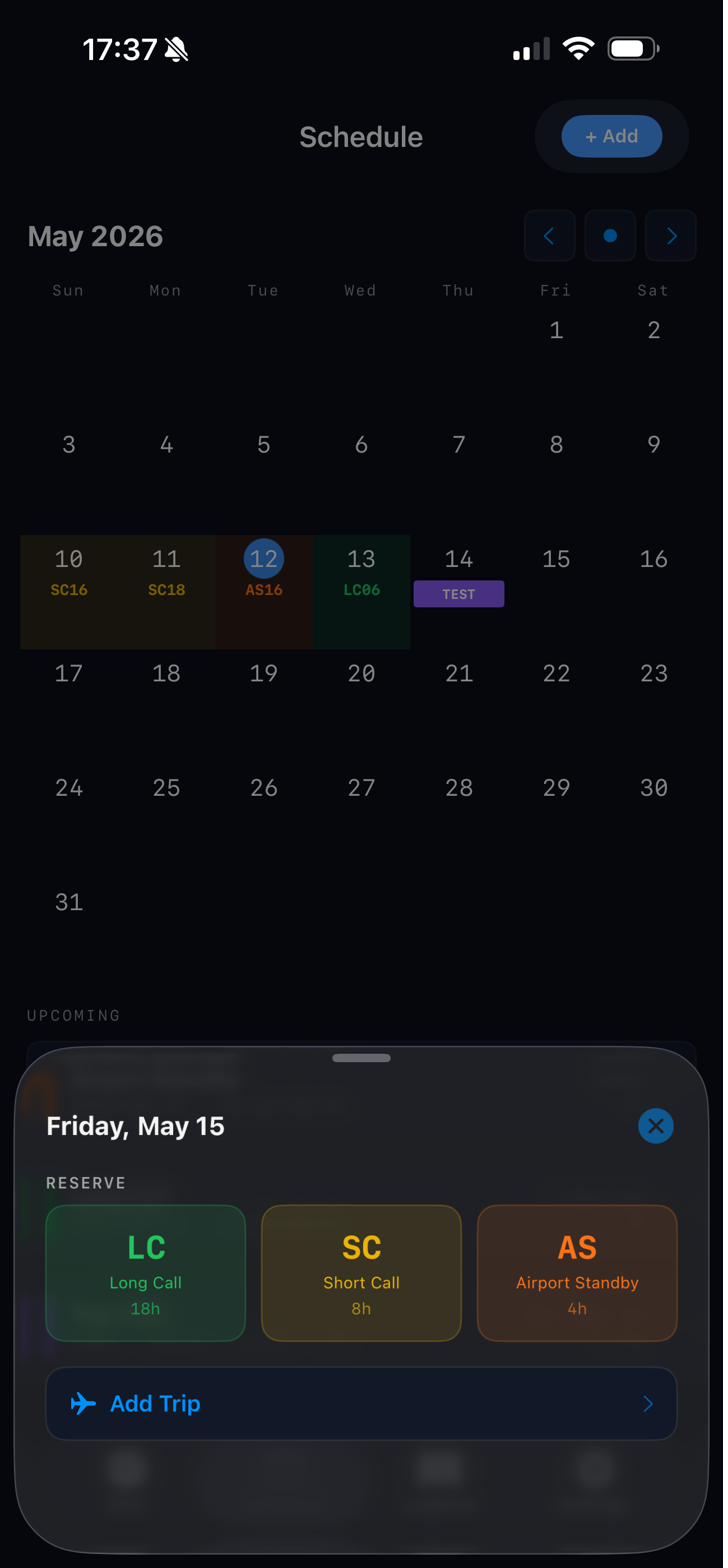
Schedule
Color-coded calendar view
Assignment
Add pay detection
Import
OCR screenshot parsing workflow
Pricing
Start free. Fly smarter.
7-day free trial with full access to every feature. No charge until the trial ends — cancel anytime before.
Monthly
$7.99/mo
Billed month to month. Full access, cancel anytime.
All plans include every feature. Billed via App Store — manage or cancel in Apple ID settings.
Common Questions
FAQ
Got more questions? Reach out via the Support page.
The import chain supports United, American, Southwest, Republic, and many other carriers. On-device OCR handles most list-view and agenda screenshots. For anything the parser can't read, AI smart parse (Pro) sends the text to the cloud and returns a structured schedule. Parser support continues improving with each release as new samples are validated.
CrewAlert includes a 7-day free trial for first-time subscribers. Plans are $7.99/month, $19.99/3 months, or $59.99/year. You can redeem App Store promo or offer codes from the paywall using Redeem Code.
Import uses on-device OCR. Choose a screenshot, review extracted text, and parse. If you tap Send anonymously, CrewAlert submits OCR text, your edits, parsed output, airline selection, and an anonymous device-scoped identifier to help improve parser quality.
The Live Activity appears on your lock screen when you're in a reserve window. It's a silent reference tool — no sounds, no notifications — just your current reserve type, earliest clear time, and add pay windows visible when scheduling calls. It auto-starts when a reserve window begins.
When you build or import a trip, CrewAlert calculates your Flight Duty Period (FDP) limit using Table B (standard) or Table C (augmented) based on your report time and crew configuration. It tracks against actual time, shows remaining FDP time, and flags when you're approaching rest requirements.
Yes. CrewAlert syncs your schedule, trips, logbook, and add pay history to the cloud so everything stays in sync across your devices and on the web. Data is scoped to your account and is not shared. See the Privacy Policy for full details.
These are reserve call-out types — Long Call (LC), Short Call (SC), and Airport Standby (AS). They represent different response-time windows defined by your contract. CrewAlert color-codes them (green, yellow, orange) for easy identification at a quick glance, and tracks your countdown to being legally clear based on the window start time.
Yes. The Logbook tab is a full digital flight logbook. Every entry captures date, flight number, route, block times, PIC/SIC role, night, IMC, landings, approaches (type, runway, airport), aircraft type, tail number, and remarks. All-time totals for Total Time, PIC, Night, and IMC are always visible at the top. You can add entries manually or import from a CSV export of an existing logbook.
CrewAlert tracks three FAR 61.57 currency requirements automatically from your logged flights: day currency (3 landings in 90 days), night currency (3 night landings in 90 days), and instrument currency (6 approaches in 6 calendar months). Each shows your current count, what's required, and days until expiry. Status dots turn amber when within 30 days of expiry and red when expired.
What's Coming
The roadmap.
CrewAlert is built to grow with the aviation community. Here's what's in flight.
✓ Shipped — v1.0.5
What's Live
Reserve management (LC, SC, AS) with default & bulk start times
Bid Helper — bid package import, preferences, pairing match scores, line builder, bid list export
FDP & FAR 117 tracking (Table B & C)
Schedule import — OCR (up to 8 screenshots), paste, file, AI smart parse
Trip builder & leg tracking with layovers
Live Activity lock screen widget
Add pay threshold detection & history
Lineholder support
FAA-grade logbook with OUT/IN/OFF/ON times
FAR 61.57 currency tracking
FAR 117 legality checker
30+ pilot reports (PDF export)
70+ FAA endorsement templates
Community reserve rule templates
Cloud sync across devices
Web app at crewalertapp.com
Medical certificate tracker
Push notifications
Coming Soon
Next Release
Per diem & pay calculator
Apple Watch companion
iPad optimized layout
Android build
Further Out
On the Horizon
Flight attendant expanded features
Commute flight suggester (MyIDTravel / ID90 deep links)
Jumpseat info & community data
Crew directory & trip history
Google Calendar push integration
Getting Started
User guides.
Quick references to get the most out of CrewAlert. More detailed guides available on the Support page.
📅
Importing Your Schedule
Step-by-step OCR screenshot import flow, text review, parser confirmation, and import defaults setup.